
IN THIS BLOG
- ➤
1. AutoCAD - ➤
2. CATIA - ➤
3. Civil 3D - ➤
4. Creo - ➤
5. Inventor - ➤
6. Microstation - ➤
7. Revit - ➤
8. Siemens NX - ➤
9. SolidWorks
Yesterday, we talked about what to look for when hiring remote computer-aided designers who are experienced in using CAD cams. Software proficiency is one of the things on that list.
So, today, we’ll delve into that a bit further. If you’re already familiar with the type/s of CAD software your company uses or needs, or want to first try out free CAD software for creating models, feel free to skip this article. Otherwise, read on, mate.
As we mentioned earlier, Computer-Aided Design (CAD) software has a lot of applications. In the right hands and the right rendering capabilities, they can produce amazing things like architectural building plans. They can create 2D and 3D concept drawings, as well as designs that can be prepared for 3D printing, and other revolutionary new products.
However, there are several kinds of professional CAD software out there, each with its different uses. If you’re not quite sure about which ones your CAD candidates should be familiar with, or which ones are best for real time collaboration, here’s a cheat sheet on some of the most popular and most useful ones out there, with just the right learning curve level (in case you’re not an old hand at it).
What Are the Best CAD Software for Remote Employers?
1. AutoCAD
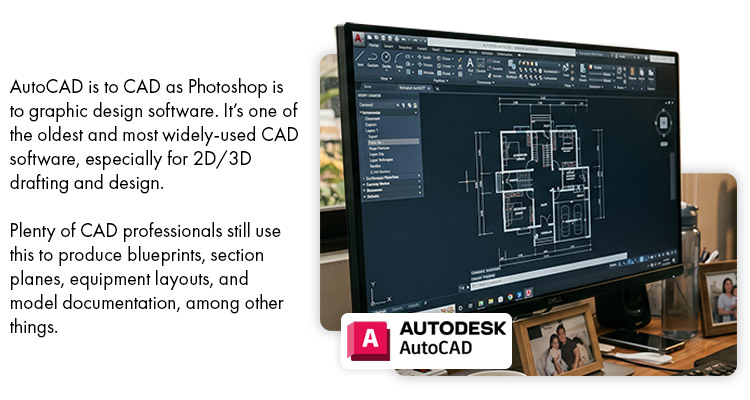
AutoCAD is to CAD as Photoshop is to graphic design software. It’s one of the oldest and most widely-used CAD software, especially for 2D/3D drafting and design. Plenty of CAD professionals still use this to produce blueprints, section planes, equipment layouts, and model documentation, among other things.
Special features:
- 2D drawing, drafting, and annotation
- Extended workflows
- Xrefs and block palettes
- Dynamic blocks
- 3D Mesh, solid and surface modeling
- Great user interface
Commonly used in the following industries:
- Aerospace & Aviation
- Civil, Structural, MEP
- Consumer products
- Manufacturing
- Medical Device
- Industrial products
- Oil & Gas
Especially handy for these jobs:
- Architects, Architectural designer, and drafter
- Electrical engineer, design and drafter
- Electronics engineer, design and drafter
- Plumbing designer, HVAC designer, MEP designer
- Interior designer
- Industrial engineer
- Manufacturing engineer
- Mechanical engineer, design and drafter
- Structural engineer, designer, and drafter
2. CATIA
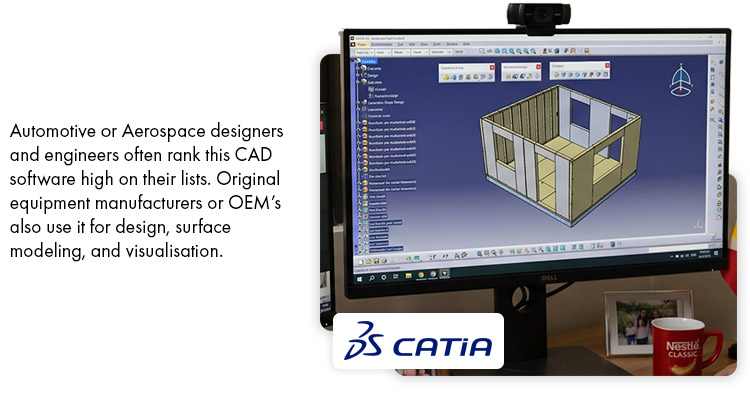
Automotive or Aerospace designers and engineers often rank this CAD software high on their lists. Though it has a very steep learning curve, original equipment manufacturers or OEM’s also use it for design, surface modeling, and visualisation.
Special features:
- 3D Modeling
- Digital prototyping
- Highly detailed surface modeling and shape manipulation
- Helps teams virtually design, test, and refine products throughout the product development process
Commonly used in the following industries:
- Aerospace & Aviation
- Automotive
- Shipbuilding
Especially handy for these jobs:
- Mechanical engineer, designer, and drafter
- Electrical engineer, design and drafter
- Industrial designer
- Product development engineer
3. Civil 3D
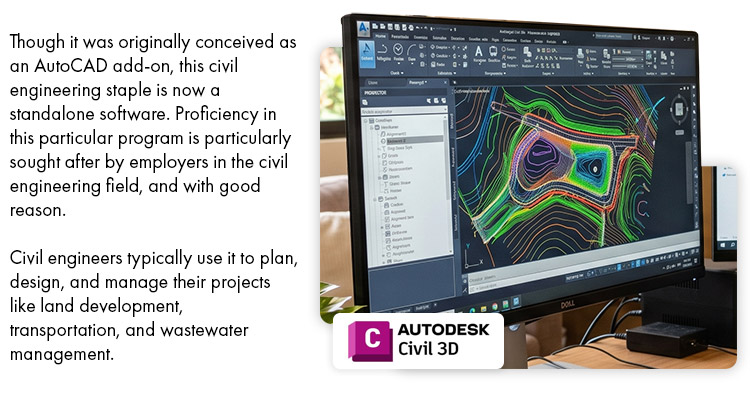
Though it was originally conceived as an AutoCAD add-on, this civil engineering staple is now a standalone software. Proficiency in this particular program is particularly sought after by employers in the civil engineering field, and with good reason. Civil engineers typically use it to plan, design, and manage their projects like land development, transportation, and wastewater management.
Special features:
- Corridor modeling
- Plan production tools (plan, profiles & sections)
- Support for BIM (Building Information Modeling)
- Surface creation tools
- Terrain Grading
Commonly used in the following industries:
- Civil & Transportation engineering
- Oil & Gas
- Utilities
Especially handy for these jobs:
- Civil engineer, designer, and drafter
- GIS technicians
- Survey technicians
4. Creo
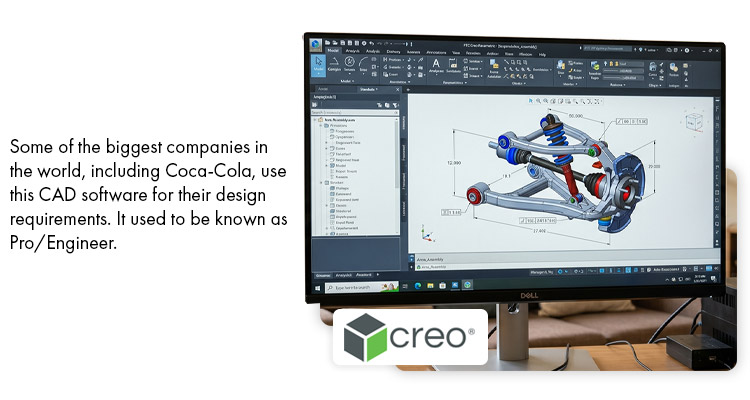
Some of the biggest companies in the world, including Coca-Cola, use this CAD software for their design requirements. Also with a very steep learning curve, it used to be known as Pro/Engineer.
Special features:
- 3D Modeling & Design
- Parametric surfacing
- Generative design
- Plastics part design
Commonly used in the following industries:
- Automotive
- Food & Beverage
- Industrial
- Manufacturing
- Plastics
- Product development
Especially handy for these jobs:
- Industrial, Sheet metal, Tool & die designers
- Mechanical engineer, designer, and drafter
- Product development engineer
Candidates:
Filter by Role:
*Booking interviews depend on candidates' availability and interest.
All-inclusive Rate: USD $10.31/hr
Maricor
Candidate ID: 368817
ADVANCED
-
2D, 2D Design, 3D, 3D Design...
INTERMEDIATE
-
2D Modeling, 3D Modeling, 3D Printing...

Median Rate
$10.31
$11.51
if $1 = PHP52
$13.84
if $1 = PHP40
Currency Fluctuation Range

*includes service fee. Please note that hourly rates are linked to the exchange rate, and fluctuate slightly from month to month.
**Please note that hourly rates are linked to the exchange rate and fluctuate slightly from month to month.
Employment Preferences
(inclusive of service fee)
*Plus GST for Australian Businesses
Full Time: $USD 10.31 per hour or $USD 1786.44 per month
Remote Staff Recruiter Comments
- She is a Design Engineer with more than Sixteen (16) years of experience in the Manufacturing Industry.
- She has expertise in equipment, fixtures and molds CAD and 3D Designs.
- She is a project lead wherein she is involved in the following:
- Coordinating with the clients for requirements.
- Product Costing and estimation
- Design and creating mock up
- 3D Modelling and Fabrication
- She also supported installation of the actual product.
- She has expertise in using Autodesk Inventor and AutoCAD Mechanical.
- She also has experience in using Vision PC which is a Japanese software for CAD.
- She can start after 2 weeks.
Employment History
Tool and Die Designer
Industry:
Manufacturing / Production
Employment Period:
January 2005 to February 2009 (49 Months)
Duties and Responsibilities:
- Construct metal forms that are used to shape metal in stamping and forging operations.
- Responsible in making modifications, verifications of drawings and jig designs.
Office Stafd
Industry:
Government / Defence
Employment Period:
June 2009 to December 2009 (6 Months)
Duties and Responsibilities:
- Assists evaluate school programs of different courses for Tesda accreditation.
- Encode and update integrated data base for trainers.
Press Metal Stamping Designer
Industry:
Manufacturing / Production
Employment Period:
January 2010 to July 2012 (30 Months)
Duties and Responsibilities:
- Designing and developing manufacturing processes for enhancements, product changes, and new products, related fixtures and tooling that are consistent with zero defect level and low product cost.
Design Engineer
Industry:
Manufacturing / Production
Employment Period:
August 2012 to November 2020 (99 Months)
Duties and Responsibilities:
- Develops stainless kitchen equipment designs, engineering mockups, and offer kitchen equipment solutions for customers.
- Provide detailed and accurate cost estimates for new /existing products.
- Handles major projects of McDonalds and Burger King Philippines.
- Support international account, intercompany projects.
R&D Designer
Industry:
Manufacturing / Production
Employment Period:
January 2024 to Present
Duties and Responsibilities:
- Research, Design and evaluate materials, assemblies and processes
- Suggest training tools to enhance manufacturing performance.
Education History
Field of Study:
Engineering (Computer/Telecommunication)
Major:
Electronic and Communication Engineering
Graduation Date:
October 1, 2004
Located In:
Philippines
License and Certification: :
N/A
Skills
ADVANCED ★★★
-
2D, 2D Design, 3D, 3D Design,
INTERMEDIATE ★★
-
2D Modeling3D Modeling3D Printing
Work at Home Capabilities:
- Internet Bandwidth: 25 Mbps
- Working Environment: Private Room
- Speed Test Result:
- Internet Type: Fiber
- Hardware Type: Laptop
- Brand Name: Asus
- Processor: i3 7th Gen
- Operating System: Windows 10
*includes service fee. Please note that hourly rates are linked to the exchange rate, and fluctuate slightly from month to month.
**Please note that hourly rates are linked to the exchange rate and fluctuate slightly from month to month.

5. Inventor
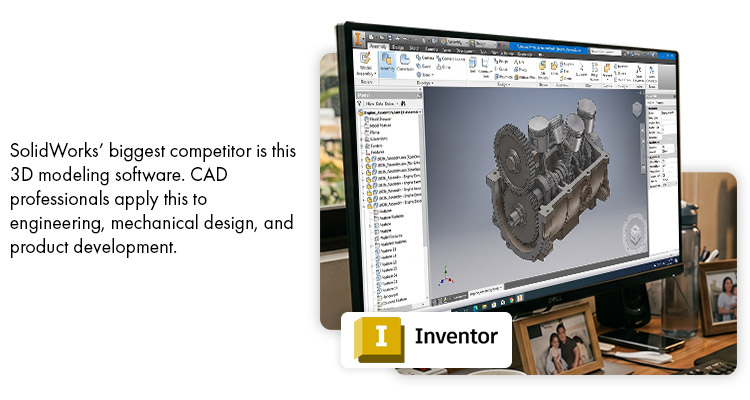
SolidWorks’ biggest competitor is this 3D modeling software. CAD professionals apply this to engineering, mechanical design, and product development. One reason SolidWorks remains popular is its user friendly interface, especially for engineers learning professional 3D CAD.
Special features:
- Parametric modeling for 3D objects
- Product data management
- 3D Solid Modeling
- Simulation
- Visualization
Commonly used in the following industries:
- Aerospace & Aviation
- Consumer products
- Industrial products
- Manufacturing
- Medical Device
- Oil & Gas equipment
Especially handy for these jobs:
- Industrial engineer
- Manufacturing engineer
- Mechanical engineer, designer, and drafter
- Product development engineer
6. Microstation
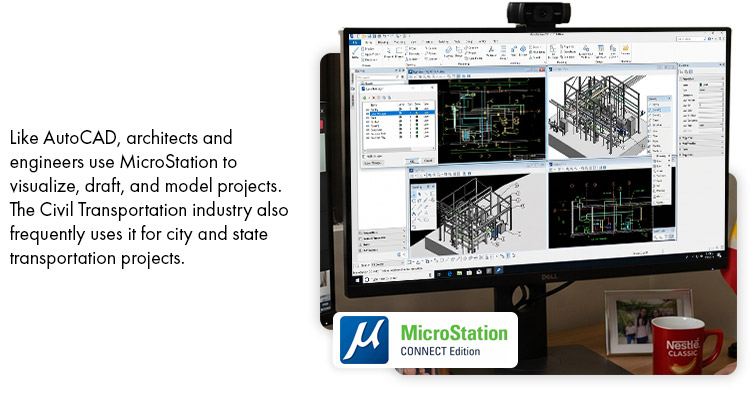
Like AutoCAD, architects and engineers use MicroStation to visualize, draft, and model projects. The Civil Transportation industry also frequently uses it for city and state transportation projects.
Special features:
- 3D Parametric Modeling
- Ability to visualize and analyze data on models
- BIM workflows
- Produce animations and renderings
Commonly used in the following industries:
- Architectural & Planning
- Civil water & wastewater engineering
- Construction
- Electrical & gas utilities
- Oil & Gas
- Process manufacturing
Especially handy for these jobs:
- Architects, architectural designer, and drafter
- Civil engineer, designer, and drafter
- Interior designer
- Transportation engineer
7. Revit
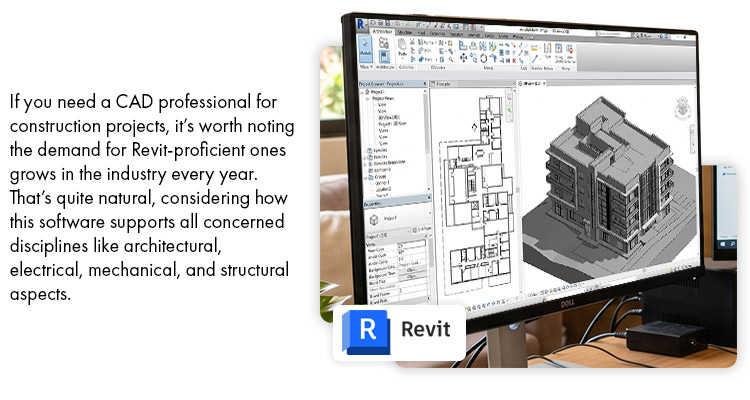
If you need a CAD professional for construction projects, it’s worth noting the demand for Revit-proficient ones grows in the industry every year. That’s quite natural, considering how this software supports all concerned disciplines like architectural, electrical, mechanical, and structural aspects.
Special features:
- 3D modeling and 3D visualization
- Construction documentation of the project
- MEP modeling and detailing
- Models components for building and fabrication
- Structural steel modeling
Commonly used in the following industries:
- Architectural
- Construction
- Engineering
Especially handy for these jobs:
- Architects, architectural designers, and drafters
- BIM Coordinator
- Electrical engineer, designer, and drafter
- Interior Architect, Interior designer
- Mechanical engineer, designer, and drafter
- Plumbing designer, HVAC designer, MEP designer
- Structural engineer, designer, and drafter
8. Siemens NX
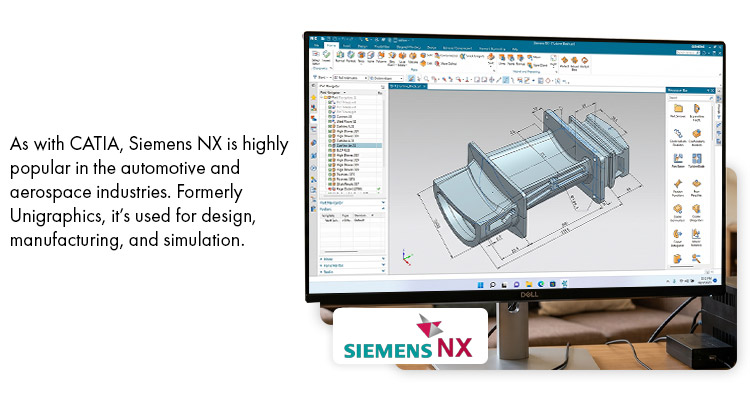
As with CATIA, Siemens NX is highly popular in the automotive and aerospace industries. And like both CATIA and Creo, it has a very steep learning curve. Formerly Unigraphics, it’s used for design, manufacturing, and simulation.
Special features:
- 3D Modeling and plotting tools
- Advanced geometry creation tools
- Convergent Modeling
- Generative Engineering
- Parametric design
Commonly used in the following industries:
- Aerospace
- Automotive
- Consumer products
- Medical Manufacturing
Especially handy for these jobs:
- Manufacturing engineer and designer
- Mechanical engineer and designer
- Product development engineer and designer
9. SolidWorks
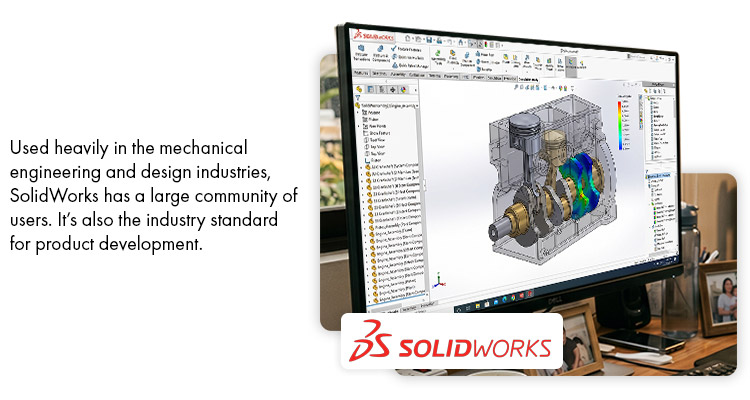
Used heavily in the mechanical engineering and design industries, SolidWorks has a large community of users. It’s also the industry standard for product development.
Special features:
- 3D solid modeling
- Cost estimation, manufacturability checks
- Created with ease of use in mind
- Product data management
- Product design simulation
- Used by mechanical and electrical engineering departments
Commonly used in the following industries:
- Aerospace & Aviation
- Consumer products
- Industrial products
- Manufacturing
- Medical Device
- Oil & Gas
Especially handy for these jobs:
- Electrical engineer, designer, and drafter
- Industrial engineer
- Manufacturing engineer
- Mechanical engineer, designer, and drafter
- Product development engineer
Still clueless about “What is a remote 3D Modeller?” 3D CAD software and modeling tools? Don’t worry, we can help you out.
Remote Staff has had more than ten years of extensive experience in the remote work industry. As a result, we have a rich pool of Filipino virtual staff for you to choose from. Specialists who are already familiar with the set of tools your company uses in its daily operations, and are ready to work with you through remote, real time collaboration. With a quick discovery call, we can also figure out what exact skills you need them to have.
Call us or Request a Callback today.

Serena has been working remotely and writing content for the better part of the last decade. To date, she's written for Pepper.ph and Mabuhay Magazine, among others, and has churned out more than a thousand articles on everything from The Basics of Stock Market Investing to How to Make Milk Tea-Flavored Taho at home.