How to get over AI anxiety at work?
Learn how AI will be used in your role; which parts will be automated and which ones will remain manual. Ask your employer about training, approved AI tools, data rules, and any workplace monitoring you’re unsure about. If job security is worrying you, ask how your role is expected to change. Ask about what skills will become more useful as AI takes on parts of the work, and if you can be given support in doing so.
Ever had a kettle boil but didn’t hear it whistle? It’s been longer than it usually takes, so you walk to the stove and realise it’s been boiling away without you noticing. The full-to-the-brim kettle is now spitting water over the sides, half empty.
A visualization of what could happen if you leave your employees simmering in AI anxiety in the workplace without you doing anything about it.
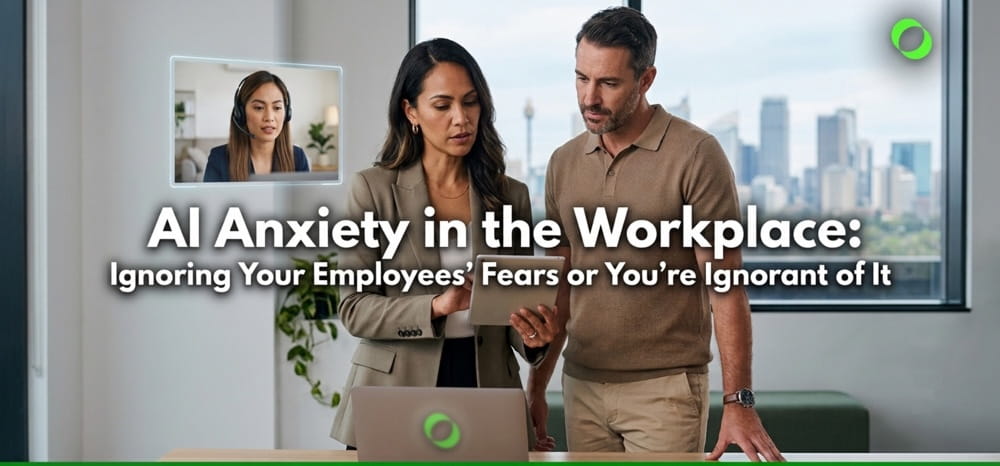
Some employees will tell you they’re worried, while others will carry on with their usual routines, wondering about what your plans are in light of AI adoption. They won’t ask you directly, but they’re thinking about job security. About pay cuts. About why you’re not being transparent about AI having a part in your operations.
Many business owners aren’t even aware they’re “not being transparent” about automating some manual tasks because they don’t think AI anxiety is a thing.
But what can you do as a business owner? As a manager?
In This Blog:
- ➤How to get over AI anxiety at work?
- ➤How Do You Reduce AI Anxiety in the Workplace?
- ➤Why Do Employees Resist AI at Work?
- ➤Are Australian Businesses Afraid of AI?
- ➤How To Manage Employee Fear of AI?
- ➤What Do Employees Worry About at Each Stage of an AI Rollout?
- ➤What Should an AI Policy for a Small Business Include?
- ➤AI Policy Checklist Template For Business Owners
- ➤The Work That Still Needs Someone Else to Hand
- ➤FAQs
- ➤Not Talking About AI Won’t Work
How Do You Reduce AI Anxiety in the Workplace?
Tell people what you’re introducing and why, and be detailed about what changes will take place. Explain how these changes benefit the team/s, and the business overall. Put the rules for AI use and data handling somewhere anyone, especially those who’ll be using these new tools the most, has easy access.
Besides SOPs and talking with your employees, allow them time to learn hands-on. Paid time is a great incentive, and an even better indirect manner of easing their AI fears.
Try it out with a pilot. A test team. Choose members of different teams or departments.
A small pilot gives your team time to use the technology, question it, and weigh in on what should happen next.
In short:
- Tell them: which tasks change, which stay, and what happens to the hours AI saves.
- Write it down: approved tools, data rules, and who reviews AI-generated work.
- Phase it: begin with one team – choose lower-risk tasks, and make learning part of paid work.
Why Do Employees Resist AI at Work?
Why do employees fear AI?
There isn’t one answer. For some, AI threatens a job they’ve spent years getting good at. Others are watching colleagues race ahead with tools they barely know how to open. And then there are systems that track work, allocate shifts or influence decisions employees may not fully understand.
Fear of Losing a Job: “Will AI Replace My Job?”
Around four in ten Australian workers surveyed by people2people in 2025 were worried about AI affecting their job prospects in 2026. Almost 30% thought AI could eventually replace their role entirely.
Learning AI gets rather complicated when an employee is also wondering if they’re helping train their eventual replacement.
Fear of Being Left Behind: “How Do I Keep Up With AI at Work?”
By June 2026, three in five Australians surveyed by people2people said AI had made their jobs more stressful. A third felt overwhelmed by the pressure to learn new AI tools and skills.
The same research found that 70% of workers felt their employer wasn’t preparing them for an AI-driven future. At the time, only 17% of Australian employers were actively providing AI-related training and support.
“
Baby Boomers reported the least support at 76%, followed closely by Millennials and Gen Z at 71% and Gen X at 58%.
INSERT_SUBTEXT_OR_CONTEXT
AI has arrived, and with a bang that’s thrown many aback. Employees are on their own, carrying their fears and assumptions. Some, learning how to be proficient at it against the backdrop of hearing a barrage of hype about AI replacing their profession.
They’re not giving up, but in their minds, you might give up on them.
Australian employees of any demographic still want to fit in and find their place next to AI.
Fear of Being Monitored: “Is My Employer Using AI to Monitor Me?”
There’s another discomfort here:
What does the software record? Who sees it? Is it measuring productivity? Does it influence shifts or decisions about someone’s work?
In a January 2026 RedBridge survey of 1,507 NSW workers, employees reported digital systems being used for workplace observation and rostering. Almost half said they had little or no say in how AI systems were introduced.
Employees need to know what the technology can see. They should be aware of what parts of their work are being monitored; otherwise, you’ll be cultivating a workplace culture of always-looking-over-their-shoulder.
In a word, a culture of “distrust.”
Are Australian Businesses Afraid of AI?
Australian business owners have their own list of worries, from falling behind competitors to buying software and subscriptions when employees aren’t caught up to them.
Apart from these, this question hangs like a grey cloud over the above:
What happens to company and client information once it’s entered into an AI tool?
We’ll cover AI cybersecurity, privacy, and data risks in separate blogs. For now, here’s something about laws business owners should have a good grip on: Australia’s Right to Disconnect Law and the WHS Legislation for Businesses.
How To Manage Employee Fear of AI?
1. Give AI Your House Rules
Don’t have any? Draft them now.
Which tools can employees use?
What can they use them for?
What information stays out of the vicinity of AI?
How should they document which details they fed into AI?
Your AI policy or SOPs should answer these questions and should be accessible to anyone in your workforce whenever they need to refer to them.
Human review has to be detailed in the policy, too.
How should employees do the checking? What should they take note of the most? Is there a person who’ll do the final check for emails sent to clients? How about reports? Marketing content? Marketing PDFs to share with vendors or suppliers?
“
Misinformation was the most commonly cited workplace AI risk.
Artificial Intelligence Anxiety in Workplaces in Australia
Find the fuller AI policy checklist further down.
2. Tell People What Will Happen to Their Work
Get candid and down to the details of their job descriptions.
Tell them:
- Which tasks AI will handle
- Which tasks remain theirs
- What happens to the time AI saves
- Whether responsibilities or performance expectations will change
- Which decisions about AI adoption are still being worked out
If you’re only running a trial, say that as well. Use this template and edit as you see fit:
From [date], [team] is trialling [tool] for [tasks].
[Tasks] stay with you. We’ll review the trial with you after [period], and we’ll consult you before any change to your role.
Be careful with promises about retention – if there really are plans for restructuring. Lux Research has found that pledges not to replace jobs with AI don’t settle employee fears.
Again, candid and also empathetic. Your employees deserve to know what the plans are regarding what’s staying and what isn’t, and what’s being improved/automated. Lay it all out.
A workshop or small roundtable also gives them somewhere to raise concerns, which will help alleviate those fears even more.
3. Try Piecing Together a Small AI Pilot
Choose team representatives from each team or department. Let them be a part of a pilot team tasked with completing some lower-risk assignments. Some of these can include internal document drafts or routine administrative work.
Work with HR (if you have an HR manager or department), or those who belong to your leadership team, to evaluate which tool saves time on which assignments, and which ones require human eyes afterward.
Training happens on company time. Staff need room to learn the tool, read the policy, try it on real work, and practise checking what comes back.
The people doing these tasks every week – hear them out regarding what they think about the results of the pilot.
4. Rework Roles Around AI
…and map it out. Sit down with each affected employee and map four things:
Moving to AI: tasks the tool will now handle
Staying human: work that remains with the employee
New skills (training): checking or prompting AI output or other responsibilities the role now needs
Freed hours: client work, projects, other work that can take their place
Do this with your employees or team. Don’t just hand over a “map” that’s done and have them figure it out and feel powerless over the changes that are going to affect their daily tasks the most.
Even if it’s a small change to their routine, discuss it with them. Let them know about it, before the new arrangement becomes business-as-usual.
What Do Employees Worry About at Each Stage of an AI Rollout?
This table pairs each stage with the worry raised at certain points, and the appropriate response:
What Should an AI Policy for a Small Business Include?
1. Approved AI Tools And Banned Uses
Name the tools employees will use and what they’re allowed to do with them.
2. Data / Data-handling Rules
Write down what must never be entered into AI tools. The Office of the Australian Information Commissioner (OAIC) recommends this:
Organisations are encouraged to avoid entering personal information, particularly sensitive information, into publicly available generative AI tools.
Check whether your business is covered by the Privacy Act and review client confidentiality clauses. Most Australian businesses with annual turnover of $3 million or less are exempt from the Privacy Act (exceptions still apply).
3. Human Review
Who checks AI-assisted work? What are they checking? Exactly who – name the persons. If it’s a your-task, your-review arrangement, say so.
4. Employee Monitoring
Does the new AI software have tracking features? Will the company be turning those on? Say what it collects and how. Detail how that data’s collected, what for, who has access to it, and how it’ll be kept.
5. About Disclosure
Set rules for when clients, customers, or colleagues should be told AI was used.
6. Questions and Reporting AI Use
Give employees a person to contact when they’re unsure or if they encounter anything that’s not outlined in the policy. Also, have them disclose AI tools they’re already using pre-official AI tools deployment. Assure them that it’s for the purpose of data security, and that they won’t be penalized for it.
7. Schedule the Next Review
This isn’t a one-time thing, so date the policy and share the draft with your employees. Schedule your next huddle; in that meeting, let the pilot team give feedback about their AI adoption experience.
Or if by the next huddle, AI tools are past the trial and are already deployed, ask your employees for their assessment.
AI Policy Checklist Template For Business Owners
Free Small Business AI Policy Template
Business: [Business name]
Policy owner: [Name/role]
Effective from: [Date]
Next review: [Date]
1. Approved AI Tools
Employees may use the following AI tools for work:
- [Tool] — for [approved uses]
- [Tool] — for [approved uses]
- [Tool] — for [approved uses]
Any AI tool not listed above must be approved by [name/role] before it is used for company work.
2. What Must Never Be Entered Into AI
Do not enter the following into an AI tool unless the business has specifically approved the tool and its use for that information:
- client or customer personal information;
- sensitive personal information;
- passwords, login details or access credentials;
- confidential client documents;
- confidential company information; and
- [other information specific to your business].
When in doubt, check with [name/role] before uploading, pasting or typing the information into an AI tool.
3. Human Review
AI-generated work must be checked by a person before it is:
- sent to a client or customer;
- published;
- used to make a business or workplace decision; or
- [other high-risk use].
The person reviewing the work is responsible for checking its accuracy, context and suitability before it goes any further.
4. Employee Monitoring
Our AI and digital tools may collect or monitor:
[Describe what is monitored, or state that AI tools are not used for employee monitoring.]
Employees will be told what information is collected, why it is collected, who can access it and how long it is kept.
5. Disclosure of AI Use
Employees must disclose the use of AI when:
- [circumstance];
- [circumstance]; or
- a client contract, company policy or other requirement calls for disclosure.
If you’re unsure whether AI use should be disclosed, ask [name/role].
6. Questions, Concerns and Existing AI Use
Questions or concerns about AI at work can be raised with [name/role/contact].
Employees should also tell [name/role] about AI tools they are already using for work, including what they use them for and whether company or client information has been entered into them.
[Optional: Employees who disclose previous unapproved AI use by [date] will not be penalised for the disclosure itself. This does not cover deliberate misconduct or other breaches of company policy.]
7. Policy Review
This policy will be reviewed on [date], or earlier if the business introduces a new AI tool, changes how AI is used, or identifies a new risk.
Employees can suggest changes or raise concerns about this policy with [name/role].
The Work That Still Needs Someone Else to Hand
Even with AI taking positions within workforces, roles and positions are still opening up in different sectors of Australian industries. Businesses are growing; projections are positive, and well into the coming decade.
There is, however, one concern: local talent pools aren’t exactly teeming with workers. Shortages. Professional shortages. They’re in every region and territory. What are businesses doing? Offshoring.
And they continue to do so post-AI explosion.
AU SMBs are reaching out to managed providers like Remote Staff to support their outsourcing needs, not just for the one role, for vacant roles that come up as their businesses grow.
Our team handles payroll, onboarding, and HR support – no need to worry about another thing to add to your task of creating an AI policy for your current employees.
FAQs
Is it normal for employees to be anxious about AI?
Yes. Almost 40% of Australian workers told people2people they’re worried about AI’s effect on their job in 2026, and three in five say AI has made their job more stressful. Treat the anxiety as a planning input for your rollout.
Do you have to consult staff before introducing AI?
Yes, especially with major changes – changes to skills, fewer job or promotion opportunities (or longer pathways before promotions), the possibility of hours changing, retaining, transferring to other departments, and job restructuring. Your enterprise agreement or award has to cover these, and the steps therein.
The Fair Work Ombudsman can confirm which one covers your staff.
What if your employees are already using AI without telling you?
Find out which tools they use and what data has gone into them, then put approved tools and data rules in writing. Give staff a way to disclose their current use without penalty. Check first for personal information entered into public generative AI tools, since the OAIC recommends keeping it out.
How long does it take for a team to get comfortable with AI?
It depends on how much training time you provide and how many workflows change at once. The pilot team’s feedback gives you your own timeline before you expand to the next group.
Should you promise staff that AI won’t cost jobs?
Promise only what you’re sure you can keep. Lux Research notes that pledges not to replace jobs do little to ease employee fears, and that staff can tell when leaders aren’t candid. Share the decisions already made and the ones still open, and update people as they change.
Not Talking About AI Won’t Work
Your employees have spent years building careers. Many genuinely believe they’ve learned to make valuable contributions to business goals by adapting to change. This change is different, though. It just dropped onto their doorstep. Worse, they don’t feel like they’re getting as much support as they need to transition to working alongside artificial intelligence.
They’re also afraid of losing their jobs to AI.
There’s no point in waiting before you set up a meeting with your employees and explain what new AI tools will be helping them with. Talk to them and hear what they have to say about their fears about artificial intelligence and what they think it’ll do to their jobs.
Clear the misconceptions, and don’t let the worry turn to fear and, eventually, disengagement.
Ready to strategize building a team as you take on AI tools? Request a Callback today.

Vaune Everis Cura has always been a writer in the truest sense, drawn to the art both as a personal creative pursuit and as a profession. Her experience penning content across digital marketing spaces and collaborating with business owners and market shapers has broadened her craft to include strategic direction and SEO insight. Having spent years with the InterContinental Hotels Group before stepping boldly into freelancing, she understands that at the centre of it all are genuine, meaningful brand–customer relationships built on purposeful, human content.